Preorder price $77. Goes up to $97 in 0d 0h 0m 0s Preorder

Daily
Dashboard
Creator Kit

Everything you need to create your own cozy, branded dashboard in minutes.

Pick your starting style

The kit comes with two dashboards you can rebrand and sell as your own. Same eighteen widgets, two different looks. Start with the one closest to your brand, then make it yours in minutes.
Playful
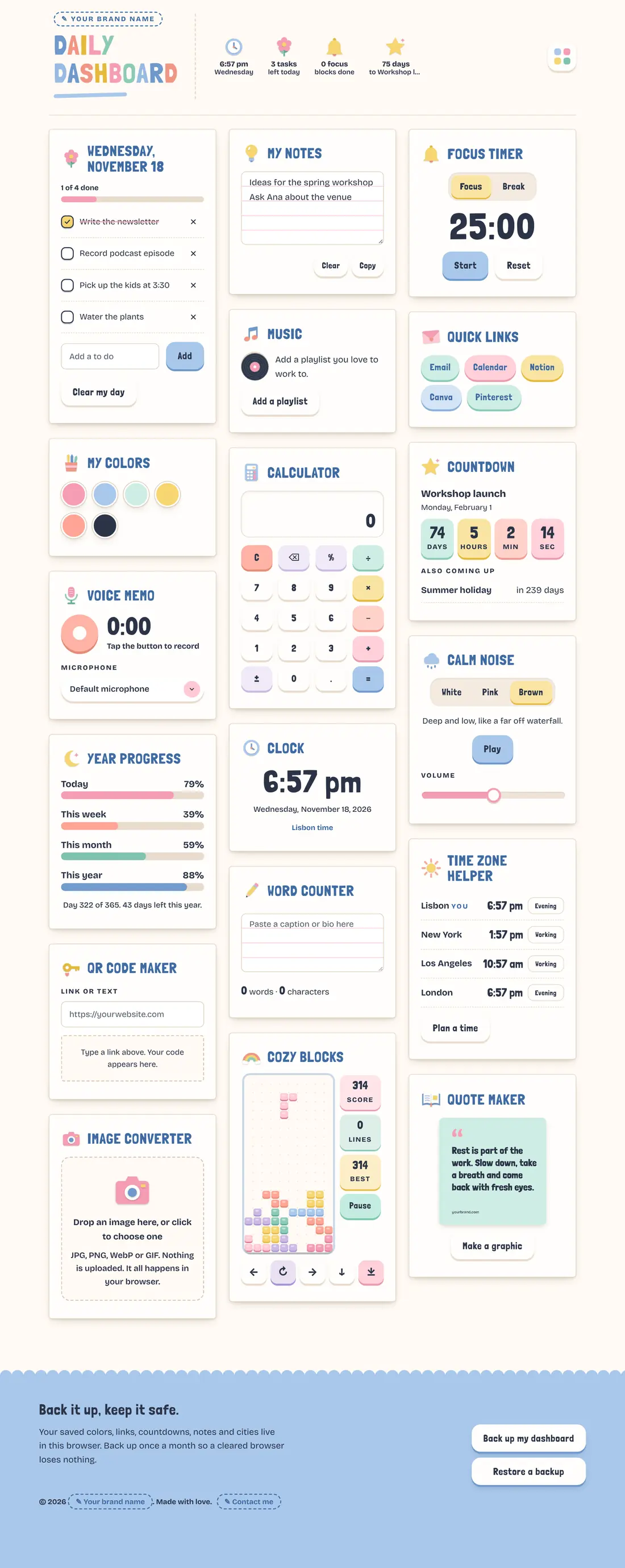
The Playful style: pastel colors, bold rounded capital headings, paper cut out icons and soft rounded cards.
Pastel colors, bold headings, cut out icons and soft rounded cards.
Editorial
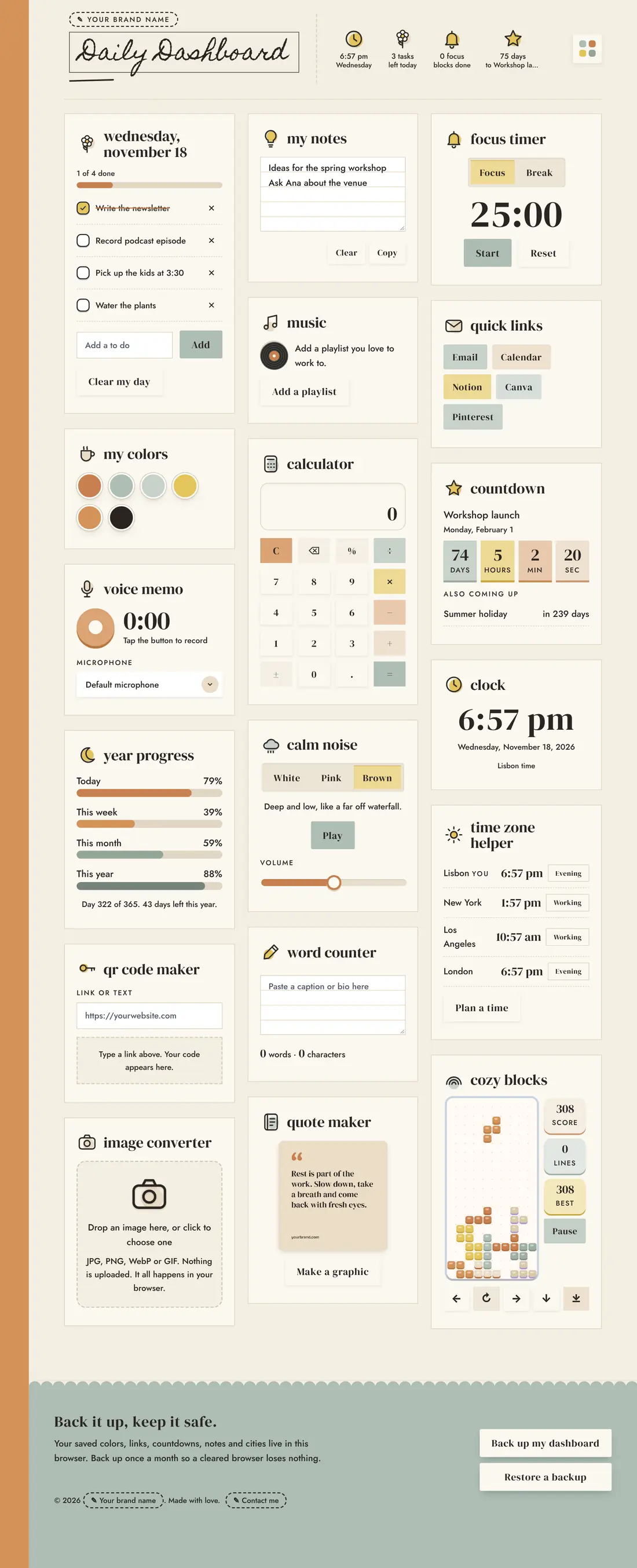
The Editorial style: cream paper with a terracotta side band, a handwritten title in a box, lowercase serif headings, line icons and square cards.
Magazine feel, serif headings, a handwritten title, line icons and square cards.

Then make it yours

One request to Claude changes the whole dashboard. Here’s what you can change.

Your name on top

Your business name sits at the top of every dashboard you sell. Every time your customer opens it, they see you.

Your colors and fonts

Give Claude your brand colors and fonts. Every card, button and icon changes to match.

Your shapes and icons

Soft and round or clean and square. Keep the icons, recolor them or ask for a whole new style.

You’ll need a Claude account to rebrand it. The free plan works.

Michelle Rohr smiling in a white shirt

Hi, I'm Michelle

I fell in love with making dashboards with Claude. Now I sell them to my community and on Pinterest, and I use mine every day. Here’s why.

  1. 1
    They keep people close to my brand. People open it every day because it's useful. No social media or emails needed. My brand is right there.
  2. 2
    They're the perfect low ticket offer. Make your dashboard fit the rest of your business. Give it a theme and a vibe, and add widgets that tie in with what you already offer.
  3. 3
    I use mine every single day. I love selling something I actually use.

People kept asking how I make my Claude tools look so beautiful and feel so useful. I spent hundreds of hours teaching myself how. Now you get the shortcut: one dashboard template you can rebrand, play with and sell.

Michelle

Make it yours. Then share it.

You rebrand it just by talking to Claude. Drop the dashboard file into a Claude chat and paste the ready made rebrand prompt with your name and colors. Claude does the rest in minutes. Then sell it or give it to your own customers for their personal use.

Sell it

Sell it as your own product at any price you like. Your customers get it for their personal use. Every sale is yours to keep.

Gift it

Give it away as a freebie. A useful dashboard brings people back to your brand every single day.

Add it

Add it as a bonus inside your course, membership or coaching package.

What's inside

Eighteen everyday widgets on one calm dashboard. Your buyers turn on the ones they want and hide the rest.

Today
My Notes
Focus Timer
Music
Calm Noise
Clock
Year Progress
Countdown
Time Zone Helper
Quote Maker
QR Code Maker
Image Converter
Voice Memo
Word Counter
My Colors
Calculator
Quick Links
Cozy Blocks
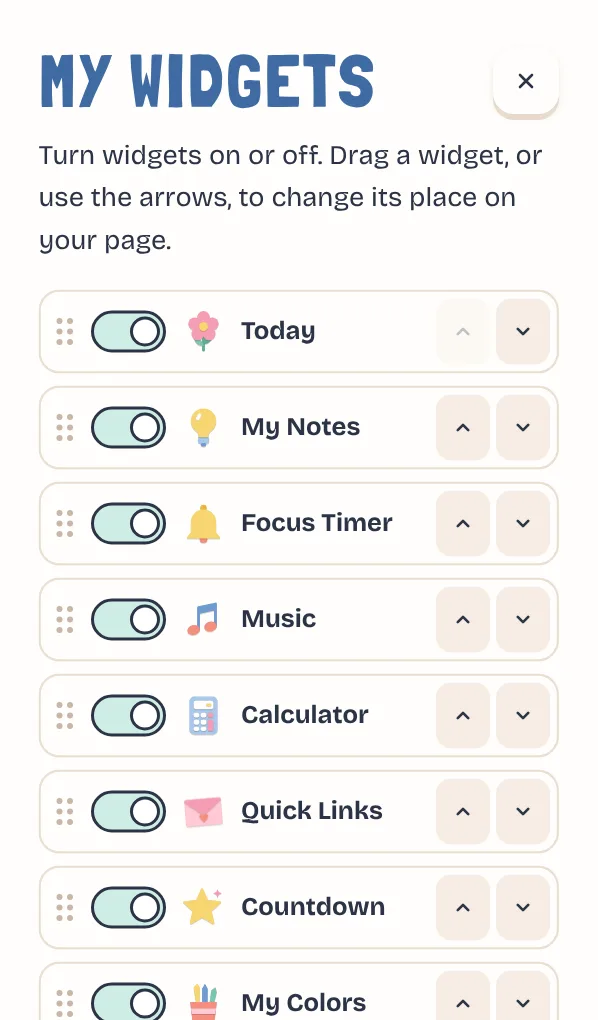
The My widgets menu with switches to turn each widget on or off

They pick the widgets

A little menu in the corner lets your buyers turn widgets on or off. They can drag widgets into any order. The dashboard places the cards so it always looks tidy.

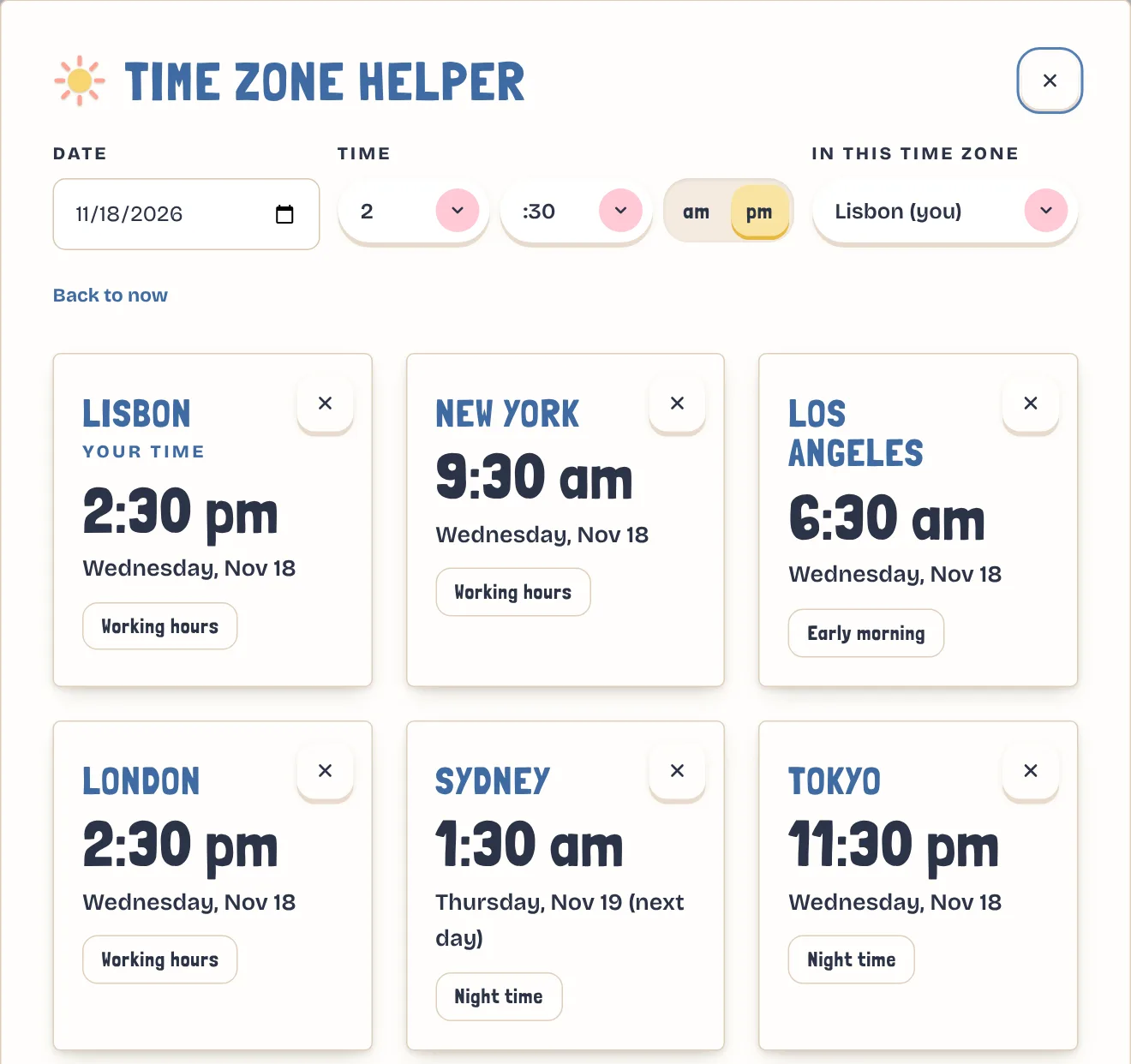
The Time Zone Helper pop up showing one time in six cities

Bigger widgets open in a pop up

The dashboard stays simple. Bigger widgets open in a soft pop up. In the Time Zone Helper, pick a time and see it in cities around the world. Perfect for planning a live call or a launch.

Add your own widgets to the dashboard

Have an idea your people would love? Ask Claude to add it to your dashboard.

Or try:

Style rules are built in

The file tells Claude how every widget should look. All the tiny touches that make people say “this looks so good.” So anything you add fits right in.

  • Spacing
  • Rounded corners
  • Soft shadows
  • Text sizes
  • Button presses
  • Icon style
  • Phone layout
  • Colors and fonts

Made for beginners

You don't need to know code or design. Here's what makes it easy.

No code

Just drop the dashboard file into a regular Claude chat. Nothing to install or set up. Say what you want in plain words, and Claude hands you back your new file.

A ready prompt

Copy and paste the rebrand prompt. Add your name and colors. Done.

A step by step tutorial

I’ll show you how I put my dashboard on Netlify, share the link with my customers and send them updates super easily.

Free to start

The free Claude plan works. Netlify hosting is free too.

One simple file

The whole dashboard is one file. Nothing to install and no logins to manage.

Easy to sell

Use the checkout you already have, like Teachery, Stripe or Gumroad. After someone buys, they get access to the link to your dashboard.

How much could you make?

Play with the numbers. Pick a price for your version and how many you think you could sell each month.

10
Each month$270
In one year$3,240

You earn back your $77 after 3 sales.

This is an example to help you plan. It is not a promise of income. Your results depend on your audience, your price and how you share it.

Is it for you?

It's for you if

  • You're a coach, course creator or shop owner
  • You want a product people use every day
  • You want a freebie that keeps your brand in front of people
  • You want a bonus that makes your course or membership feel special
  • You love pretty things but don't want to build them from scratch
  • You have a Claude account, or you’re happy to make a free one

It's not for you if

  • You need logins and user accounts
  • You need saved info to sync across devices
  • You want to sell the resell rights to others
  • You want to make dashboards for clients under their brand

To keep it beginner friendly, this is a browser based dashboard. It doesn't use accounts. Accounts need more advanced setups and can come with ongoing costs.

Your license

Clear and simple, so you know exactly what you can do.

You can

  • Put your own brand name, colors and fonts on it
  • Sell it as your own product at any price
  • Give it away as a freebie or a bonus
  • Change, add or remove any widgets

You can't

  • Pass on the resell rights to your buyers
  • Sell this kit, the prompt or the guide as a resell product
  • Share the original file for free online
  • Make it for your clients under their brand

Want to sell tools you make with Claude? This is the easiest way to start.

$97

$77

One time payment

Preorder price
  • Your kit arrives on December 3
  • The price goes up to $97 on December 3
  • There is no Black Friday sale
0days
0hours
0min
0sec
  • Two dashboard styles, Playful and Editorial, with eighteen widgets each
  • A license to put your brand on it and sell it to your customers for their personal use
  • The Claude rebrand prompt
  • The free hosting guide
  • A step by step tutorial

You’ll need a Claude account to rebrand your dashboard. The free plan works.

Preorder the kit

Questions

What do I need to get started?

A Claude account, your brand name and your colors. The free Claude plan works. To put it online, you also need a free Netlify account.

Do I need to know code?

No. You paste a prompt into Claude and tell it your brand name and colors. Claude makes the changes and gives you back a new file.

Do I need the paid version of Claude?

No. The free plan can open the file, make your changes and hand you back your own version. The free plan gives you a limited amount of Claude use at a time. If you run out, you just wait until it resets, which happens every few hours, then keep going. A paid plan gives you more use, so you can make changes with less waiting.

Can I use my own brand fonts?

Yes. Give Claude the name of a Google Font, or attach your own font file. Some paid fonts need a web license, so check yours first.

Can I change the icons?

Yes. When you rebrand, the icons change to your colors on their own. Want a new style? The Editorial style already comes with line icons. For something else, ask Claude something like “Make the icons look like stickers.” New icons can take a couple of tries to get just right, so start with one card and ask for changes until you love it. Then ask Claude to do the rest the same way.

Do my buyers need to log in?

No. The dashboard opens in any browser. There is no account to make and nothing to install.

Where does their info save?

Everything saves in their own browser. A backup button lets them save a file of their things, so a cleared browser loses nothing.

How do I send updates to my customers?

It's very simple. Your dashboard lives on Netlify, a free place to put a website online. Your customers use your link. When you make a change, drag the new file into Netlify. Everyone gets the update right away, and your link stays the same. I show you how in the tutorial.

Can I sell it to clients under their brand?

No. The license lets you sell it under your own brand to your customers. Your customers can use it, but they can't resell it.

Does it work on phones?

Yes. The cards stack neatly on a phone, and everything works on a computer too.